Windows app for FC Ultimate Team
Find players. Set your rules. Run your session.
Snipe Club is a trading companion for Ultimate Team: browse the catalogue, save filters, set buy limits and watch session activity from one Windows desk.
How it works
A clear trading loop
Built for players who already know the Transfer Market — not for developers.
Find players
Search the catalogue and check Lowest BIN references on the cards you care about.
Build your filters
Save the groups of cards you want to follow instead of rebuilding the list every night.
Set your limits
Choose buy ceilings, minimum profit, spend caps and quantity before anything runs.
Run & monitor
Start a session from the desk, watch activity, then pause or stop when you choose.
Inside the app
What you actually see
Screenshots from the real Windows desk — not mockups.
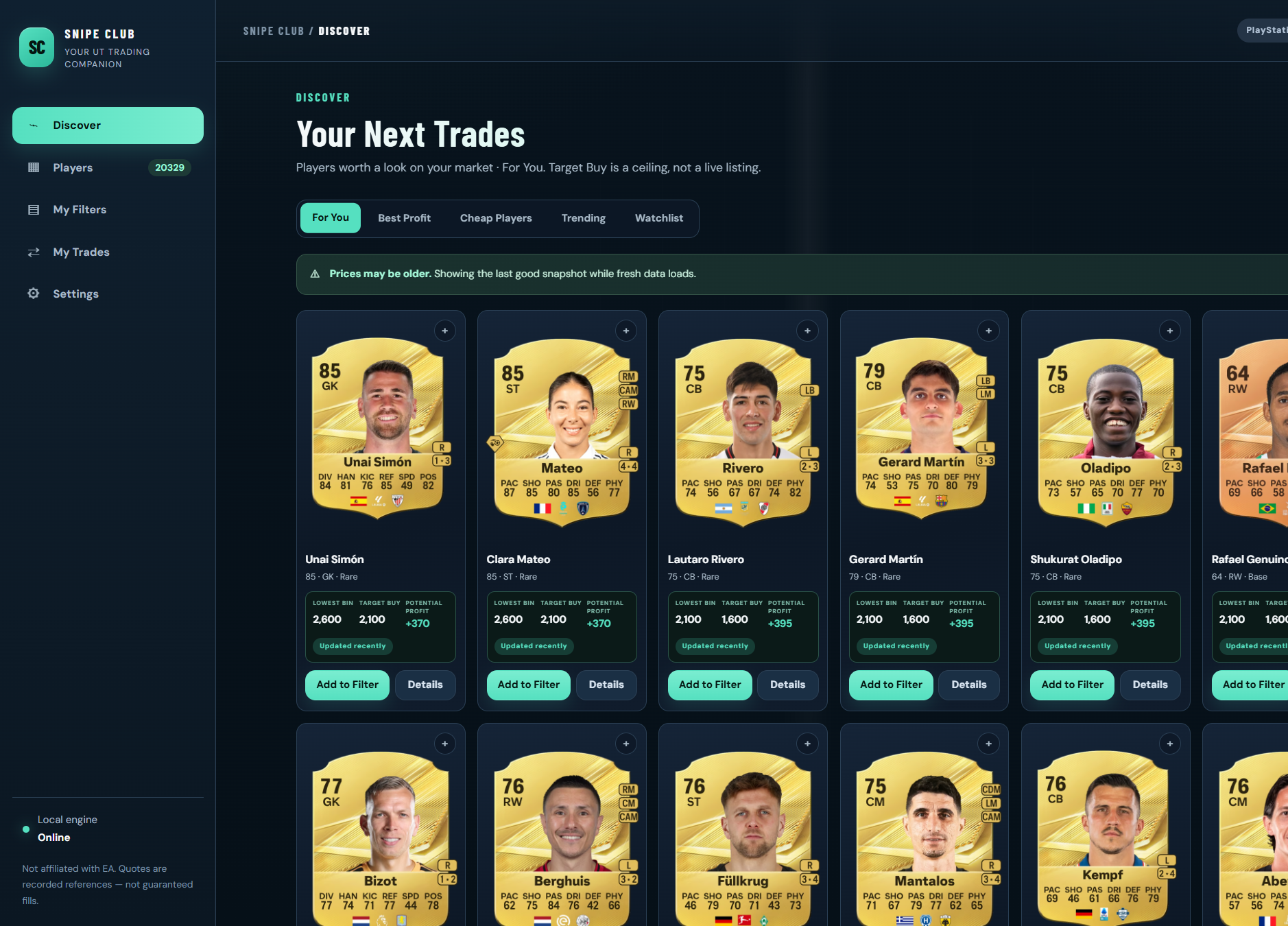
Browse the catalogue
Search players, filter by rating and position, and compare Lowest BIN with your target buy before you add a card to a filter.
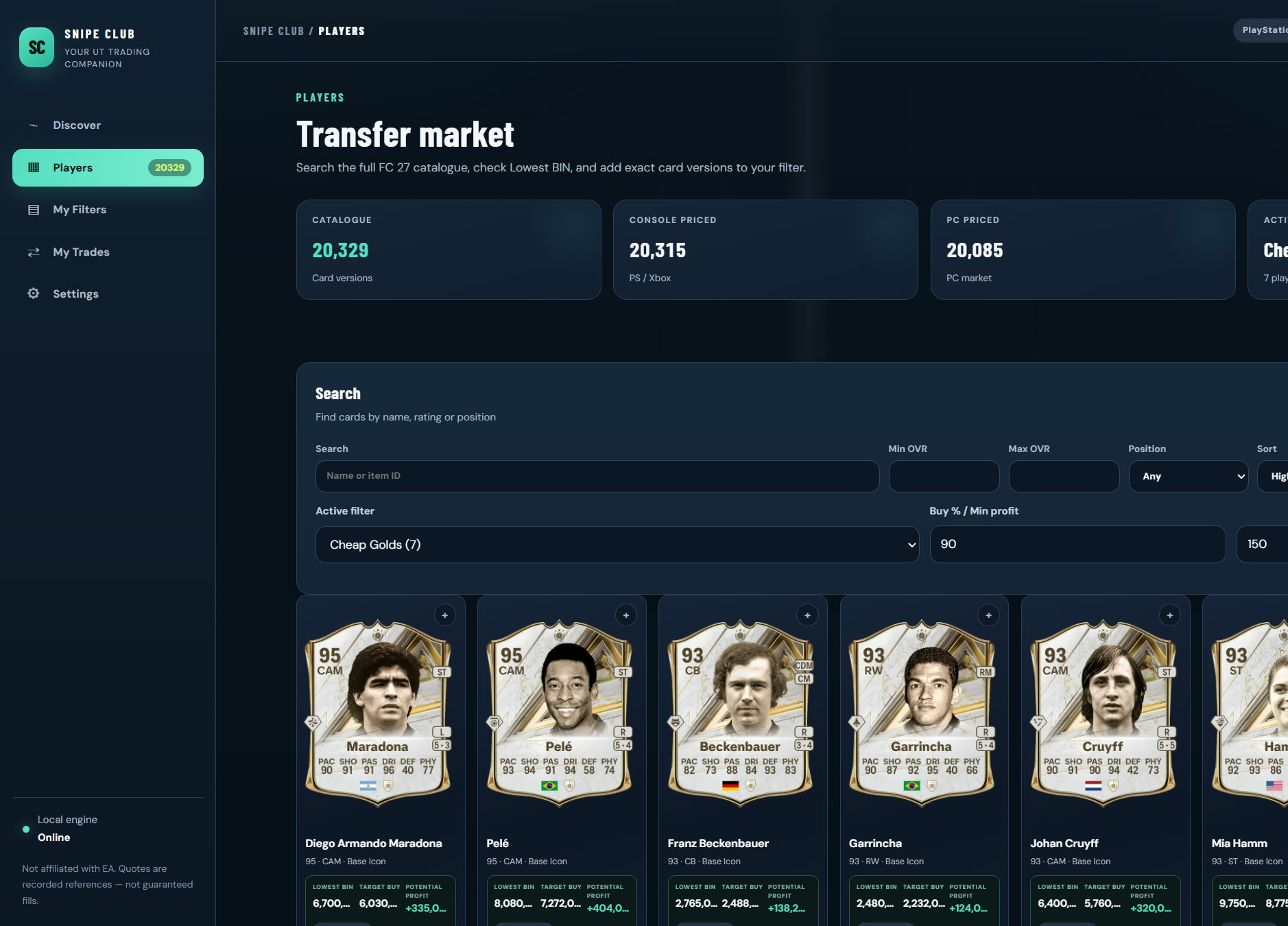
Save filters and defaults
Keep named filters with shared buy rules. Override individual players when one card needs different limits.
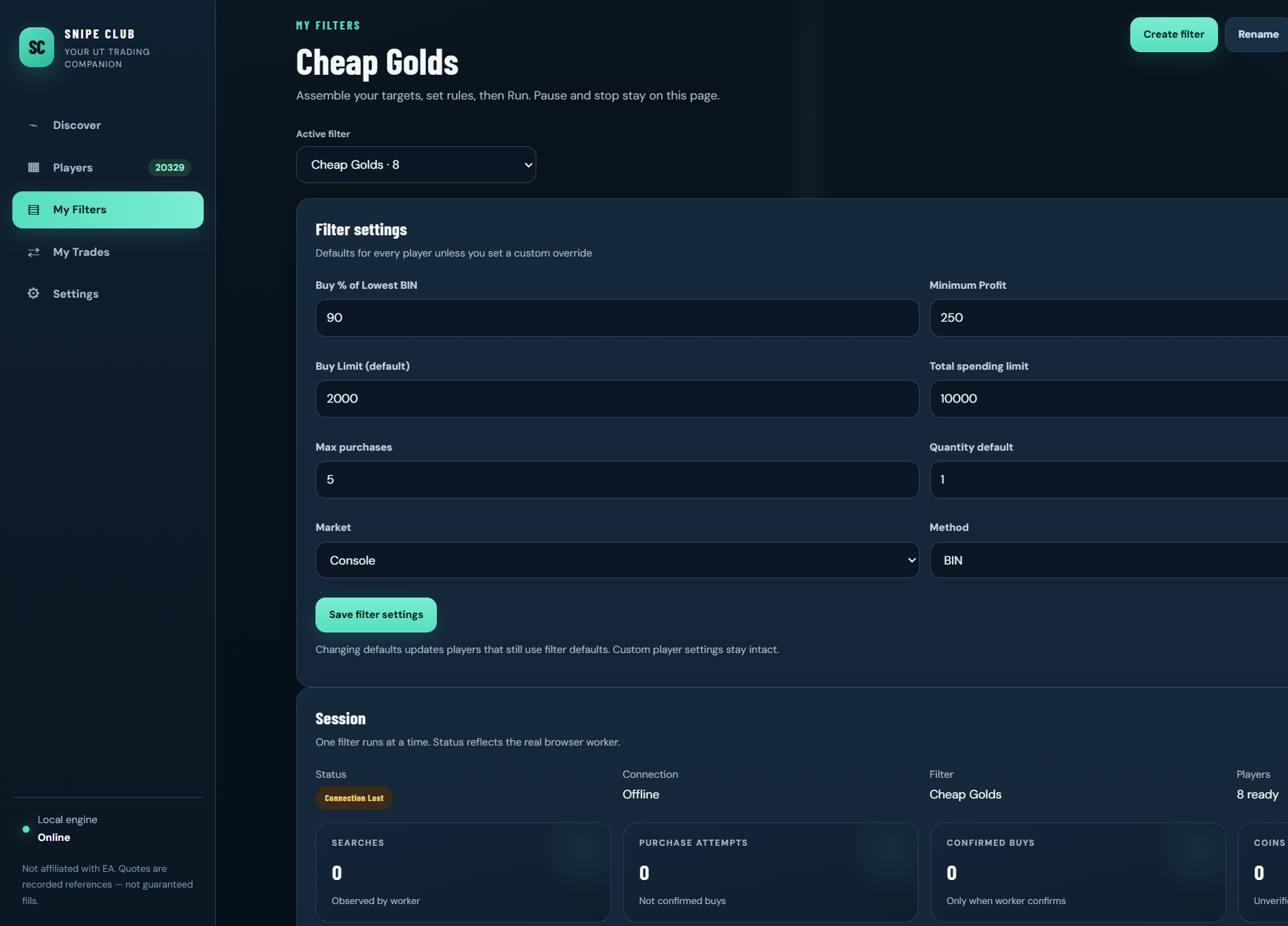
Per-player rules when you need them
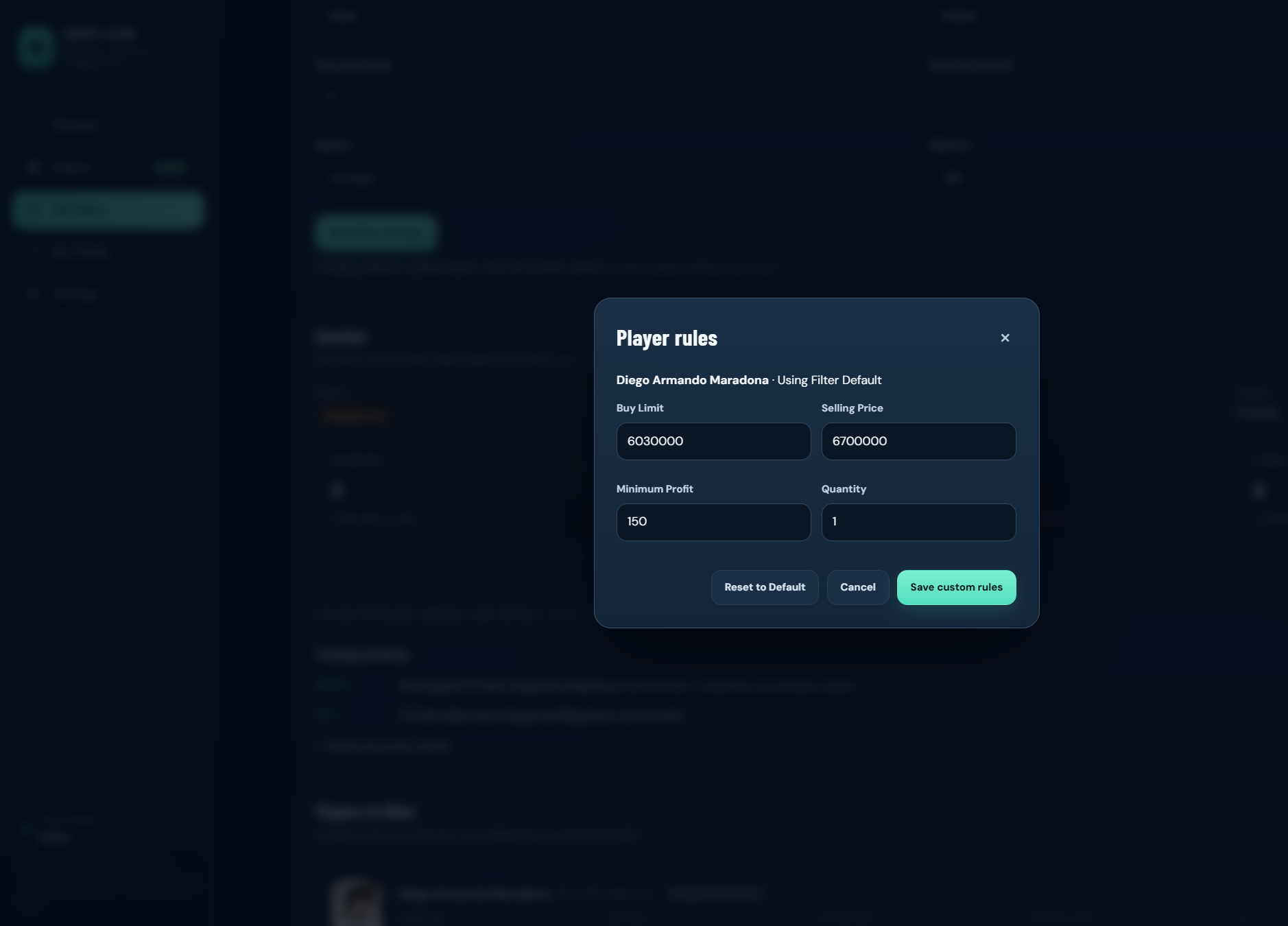
Set buy limit, selling price, minimum profit and quantity for a single card without changing the whole filter.
Why traders use it
One desk instead of five tabs
Keep lists reusable
Filters stay ready so you’re not rewriting the same targets every session.
Limits before you run
Spend caps and profit floors sit next to the cards — visible before a session starts.
Windows + optional browser
Research and rules live in the desk. Connect a browser session only when you need Web App trading.
You sign into EA yourself
Snipe Club never asks for your EA password.
Pricing
One plan
Same product in euros or dollars. Monthly. Cancel from your account.
Windows desk, filters, trading rules, session monitoring and account access. Taxes shown at checkout where they apply.
- Player catalogue & Discover
- Saved filters and per-player rules
- Session controls on the desk
- Optional browser connection
- Billing portal for cancel / payment method
FAQ
Before you subscribe
What is Snipe Club?
A Windows trading companion for EA SPORTS FC Ultimate Team. Browse players, save filters, set buy rules and monitor sessions.
What platforms does it support?
The desk runs on Windows. Optional browser connection works with the Ultimate Team Web App in Chrome or Edge on your PC.
Do I need the EA Web App?
For browsing and managing filters in the desk — not always. For live Web App trading workflows you open the Web App yourself and connect the browser extension.
Does it guarantee profits?
No. Markets move. Price references can be stale. Nothing here promises coins or income.
Can my EA account be restricted?
Yes. Automating the Transfer Market breaks EA’s rules. Accounts can be locked or banned. Prefer a secondary account. Snipe Club is not affiliated with EA.
Can I cancel anytime?
Yes. Use the billing portal from your account. Access continues through the period you’ve already paid.
Snipe Club is independent software — not made or approved by EA. Optional automation can restrict or ban Ultimate Team accounts. No profit is guaranteed. Read the risk disclosure before you subscribe or connect a browser session.
Next step
Download the Windows desk
Install on your PC, create an account when you’re ready to subscribe, then connect your membership.